For macOS 26
Your Mac's keyboard and mouse, on other computers.
Batuta lends them to your Linux computers and your other Macs. Move between them at a screen's edge or with a shortcut.
Free. Signed and notarized. For macOS 26 on Apple Silicon, and Linux on x86-64.
What it does
What you can do.
Cross at the edge
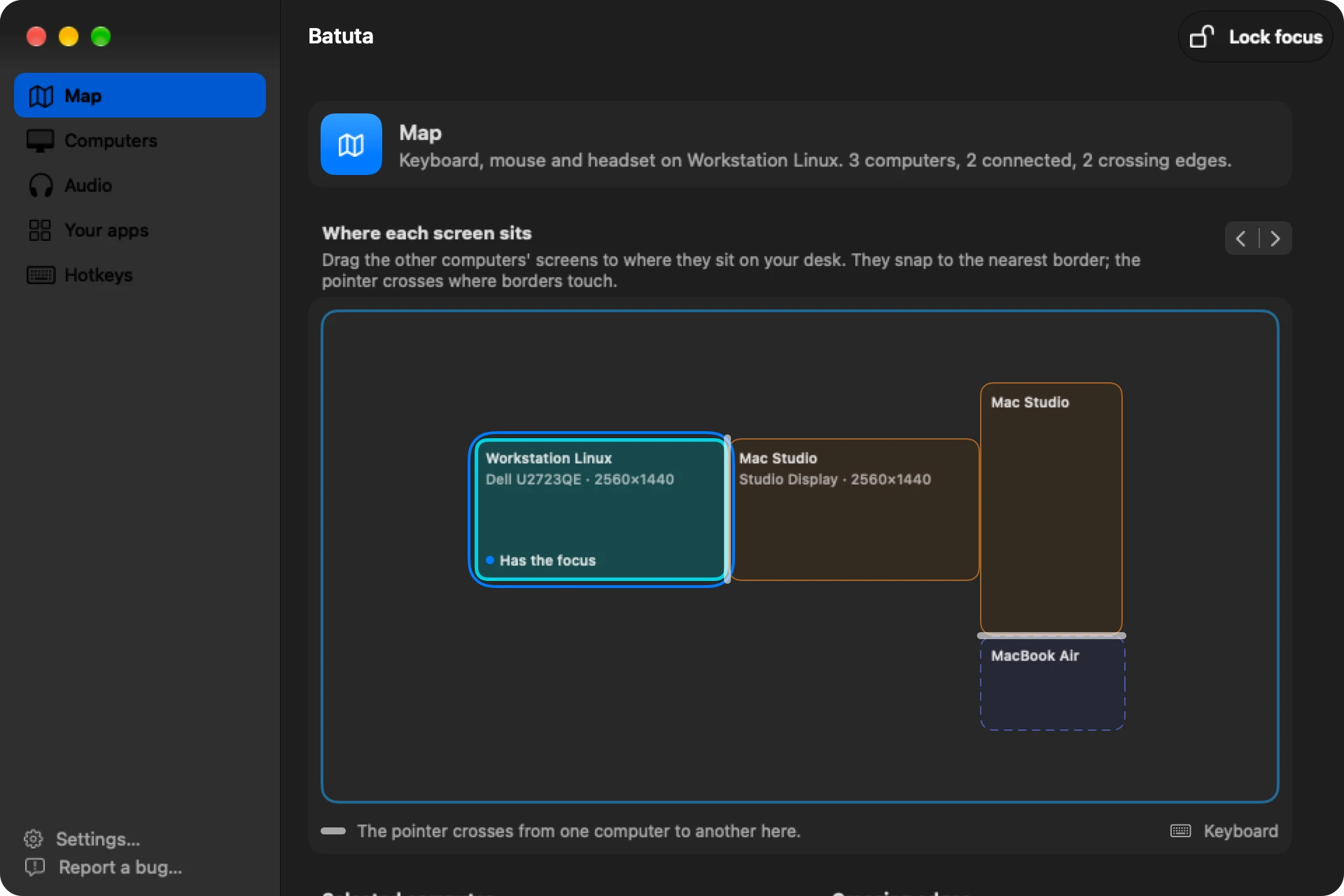
Place each computer's screens on a map as they sit on your desk; each snaps to the nearest free side. The pointer crosses the moment it reaches the edge. Or press ⌃⌥⌘ and the number the computer has on the map.
From the Linux login screen
Batuta's client starts with the Linux computer, so you type its login password on your Mac's keyboard. If the client fails, it restarts on its own.
Another Mac, too
With Batuta on both, the other Mac gets your keyboard and mouse, with every key and system shortcut: Spaces, Mission Control, ⌘Tab. The first time, Batuta asks whether that Mac leads or follows.
The clipboard, both ways
Text and images, between the Mac and Linux. What a password manager marks as concealed never crosses.
Linux sound, in your headphones
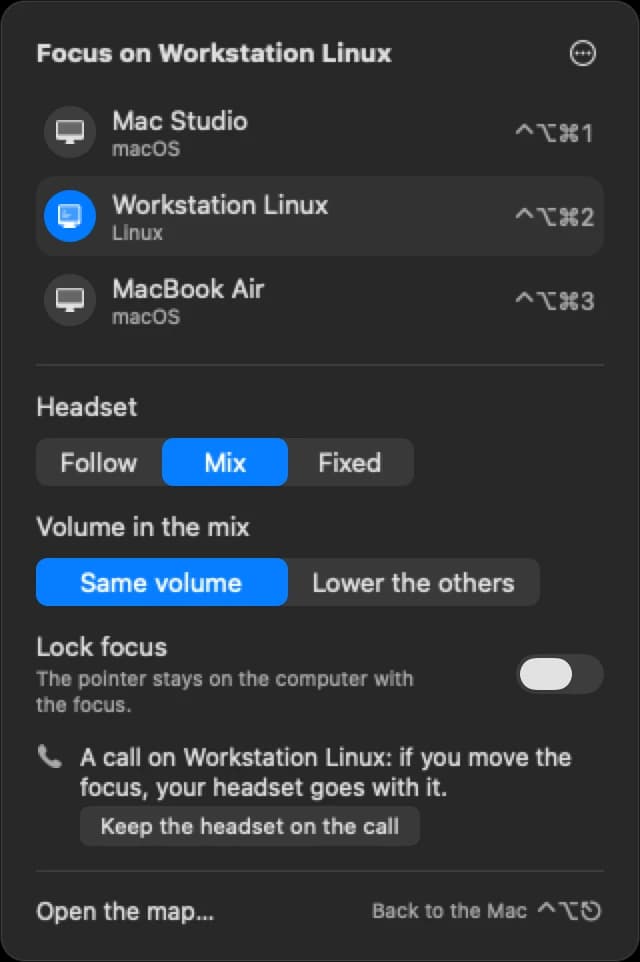
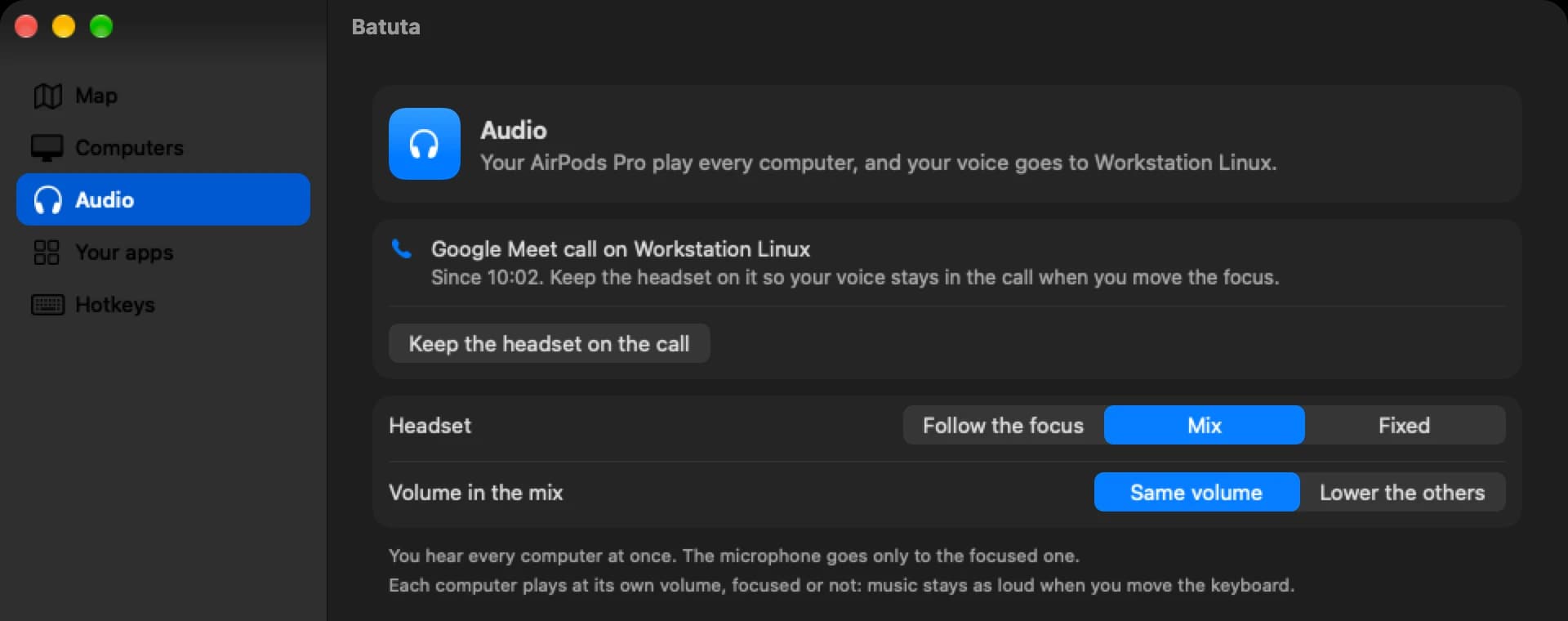
What plays on Linux, you hear on the Mac. Your microphone joins its calls only when you ask.
You choose what's shared
Each computer has its own switches: keyboard and mouse, and on Linux, clipboard, sound and microphone. What's off isn't sent.
Why Batuta
One Mac conducts. The rest follow.
Batuta is Spanish for a conductor's baton. The icon is the baton's gesture: the tip and the arc it traces, with three beats.
If something fails
The keyboard comes back to your Mac.
⌃⌥⎋, always
The Mac listens for it, not the other computer, so it works even if that one hangs.
If a computer stops responding
Half a second without a word from it, and the keyboard and mouse are back on the Mac. Any keys you were holding are released.
Mac passwords stay on the Mac
While you type a password on the Mac, the keyboard won't move to another computer.
With your apps
With Quill, Ámbar and Tessera, if you use them.
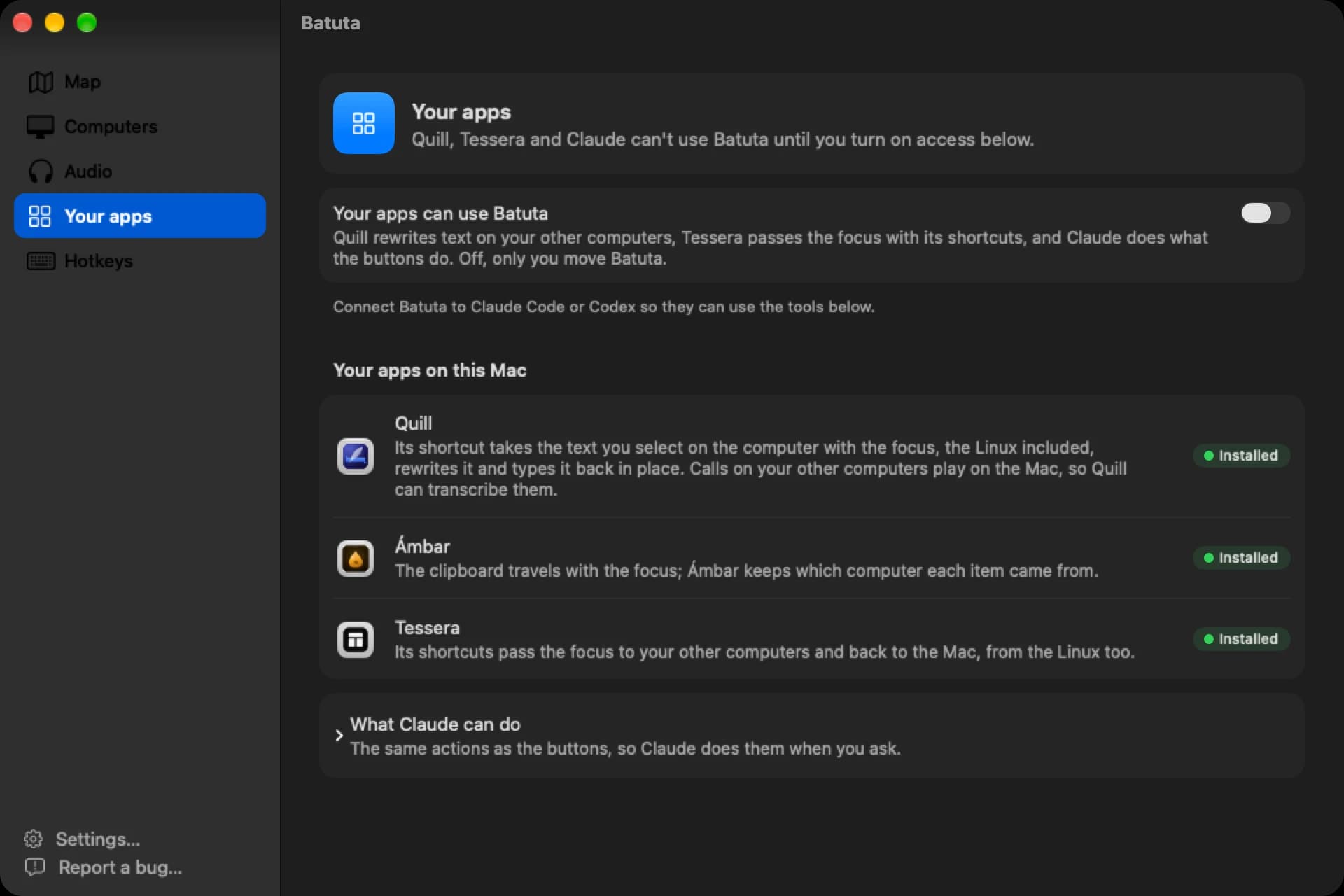
- Quill
- Its shortcut rewrites text you select on Linux (X11) and puts it back in place.
- Ámbar
- Each copy from Linux arrives with its computer and app.
- Tessera
- Its shortcuts pass the keyboard to another computer and back to the Mac.
Switch on agent access (MCP), and Claude Code or Codex can do what the buttons do.
Privacy
What you share stays on your network.
No account. What you type, copy and hear goes from one computer to the next on your network, never through the internet.
Paired once
A six-digit code, and from then on each computer accepts only the Mac it knows. The connection is encrypted end to end.
Nothing on disk
Batuta never saves your keystrokes, sound or clipboard.
Only with your yes
Usage statistics wait for your permission. The bug report shows you what it sends; the log and your Mac's details go only if you tick them.
With the keyboard
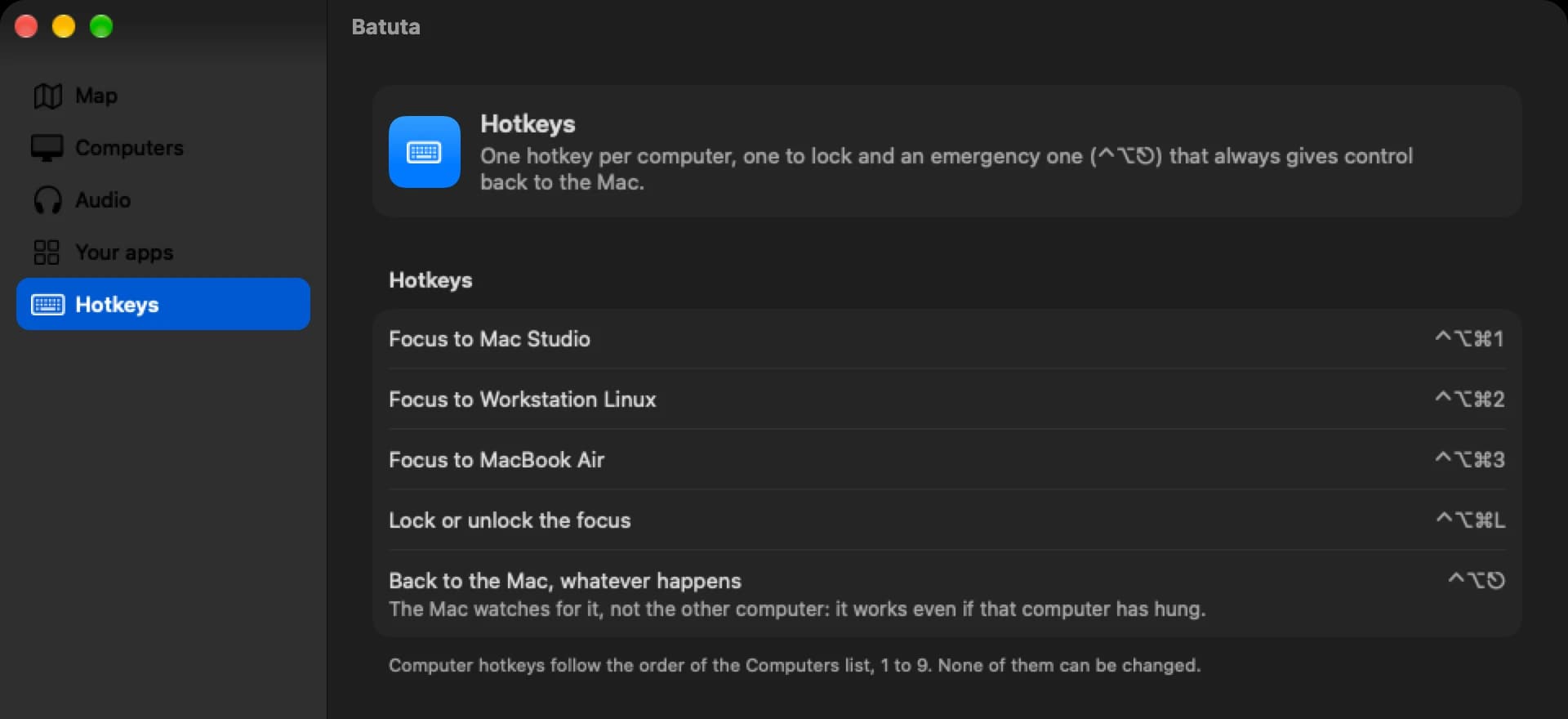
Three shortcuts
- ⌃ ⌥ ⌘ 1–9
- Send the keyboard and mouse to computer 1–9
- ⌃ ⌥ ⌘ L
- Lock or release the active computer
- ⌃ ⌥ ⎋
- Back to the Mac, whatever happens
Install
Three steps
- 01
Download Batuta, open the DMG and drag Batuta onto Applications.
- 02
Open it and grant Accessibility and Input Monitoring: they are what let it carry the keyboard and mouse.
- 03
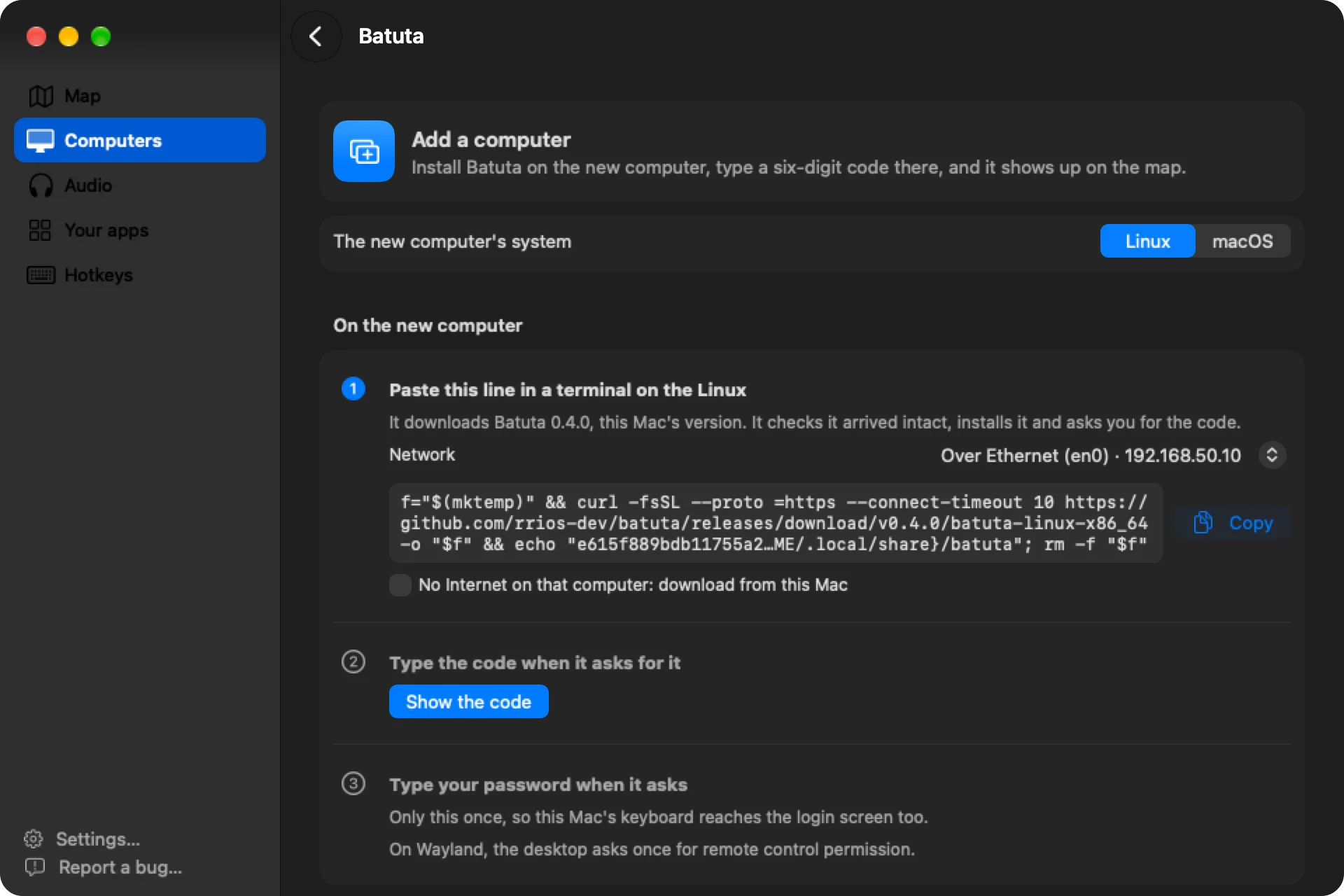
In Computers, add a computer. For Linux, Batuta gives you one line to paste in its terminal. It downloads the client, checks it, then asks for the six-digit code and your admin password. For another Mac, install Batuta there too.
After that, Batuta tells you about each new version and updates in one click. The Linux client updates with the line on its page in Batuta.
- Mac
- macOS 26 or later, Apple Silicon
- Linux
- x86-64 with systemd, on X11 or Wayland
- Another Mac
- Keyboard and mouse, once you are logged in
- Network
- Local only, encrypted
- Languages
- Spanish and English
- Licence
- MIT
- Distribution
- Outside the Mac App Store, signed and notarized
Raise the baton.
Download Batuta and pair each computer.
It's free and it'll stay that way. If it saves you time, you can leave a tip.